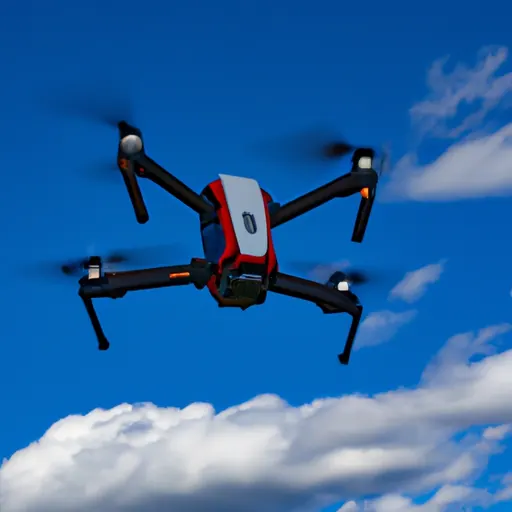
A research-based guide drawn from FAA safety guidance and typical manufacturer instructions. Always read your own drone’s manual first; controls and safety features vary by model.
Your first flight should be boring, and that’s a good thing. This guide walks a brand-new pilot through the legal must-dos, a pre-flight checklist, the basic controls, and a simple first-flight practice plan.
Before you leave the house
- Do the legal steps once: pass the free TRUST test (recreational) and register the drone if it’s 250 g or more. See Start Here for the full list.
- Update firmware and the app at home, not in the field. Updates can take a while and sometimes need recalibration. See How to Update Drone Firmware.
- Charge everything: drone batteries, controller, and phone.
- Check where you can fly in an FAA-approved B4UFLY app, including temporary flight restrictions, and confirm local rules for the park or property.
- Check the weather. For a first flight, choose a calm, dry day. See Drone Weather and Wind Limits.
Pick the right spot
- A large, open field with no people, trees, power lines or buildings nearby.
- Away from airports, unless you have LAANC authorization.
- Somewhere you have permission to take off and land.
Pre-flight checklist (at the field)
- Propellers: undamaged, correctly fitted and locked.
- Battery: fully seated and charged; check for swelling.
- Camera gimbal cover removed (if your model has one).
- GPS: wait until the app shows enough satellites and confirms the home point is recorded.
- Return-to-home altitude set above the tallest obstacle nearby.
- Compass or IMU calibration only if the app asks. See How to Calibrate a Drone.
- Remote ID working, if your drone requires it.
Understanding the controls
Most drones use “Mode 2” sticks by default:
| Stick | Up / down | Left / right |
|---|---|---|
| Left stick | Throttle: climb / descend | Yaw: rotate left / right |
| Right stick | Pitch: forward / backward | Roll: slide left / right |
Check your manual, because some models and regions default to a different mode.
A simple first-flight practice plan
- Take off and hover at about eye level, 10 to 15 feet up, a safe distance in front of you. Let go of the sticks and watch it hold position.
- Up and down: climb and descend a few feet using only the throttle.
- Box drill: with the drone’s nose pointed away from you, fly forward, right, back and left in a square using only the right stick.
- Rotate: yaw slowly 90 degrees and repeat. Notice that the controls now feel “different” relative to you. This is orientation, the skill that takes the most practice.
- Land gently, then practice takeoffs and landings a few times.
- Test return-to-home once, at a safe height, so you know what it does before you ever need it.
Keep the drone in sight at all times, keep flights short, and land with at least 25 to 30% battery left until you know how your drone behaves.
Beginner features worth using
- Beginner or “Cine” mode limits speed and distance.
- Geofencing and altitude limits in the app.
- Obstacle sensing, if fitted. It helps, but it isn’t foolproof, especially sideways, backward or in low light.
- A simulator. PC simulators let you build stick skills without risking hardware. See drone practice drills for options and what controllers they need.
Related guides
- Start Here
- Next step: 12 Drone Practice Drills
- How to Avoid Drone Crashes
- What Is the Best Drone for Beginners?
- Drone Rules & Registration hub